How to Use the N8N VPS Template
n8n is an open-source workflow automation tool that allows you to integrate and automate tasks across various services and applications. With Hallo-Webseite.des Ubuntu 24.04 with n8n VPS template, n8n comes preinstalled within a Docker environment, allowing for quick and easy deployment of your automation workflows.
This guide will walk you through accessing, configuring, and managing your n8n instance.
If you dont have a VPS yet, you can check the available options here:n8n hosting?
Accessing the n8n Web Interface
Open the web browser and Navigate to
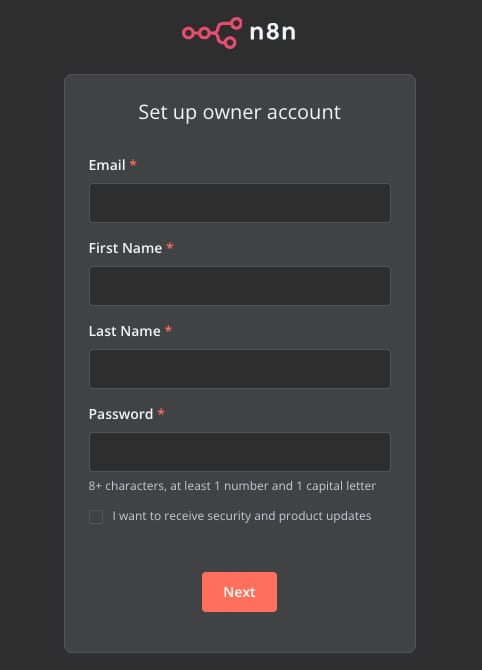
https://n8n.[your-vps-hostname]in your web browser.The first time, youll be prompted to create an admin account and set up your n8n instance.
Buildingworkflows
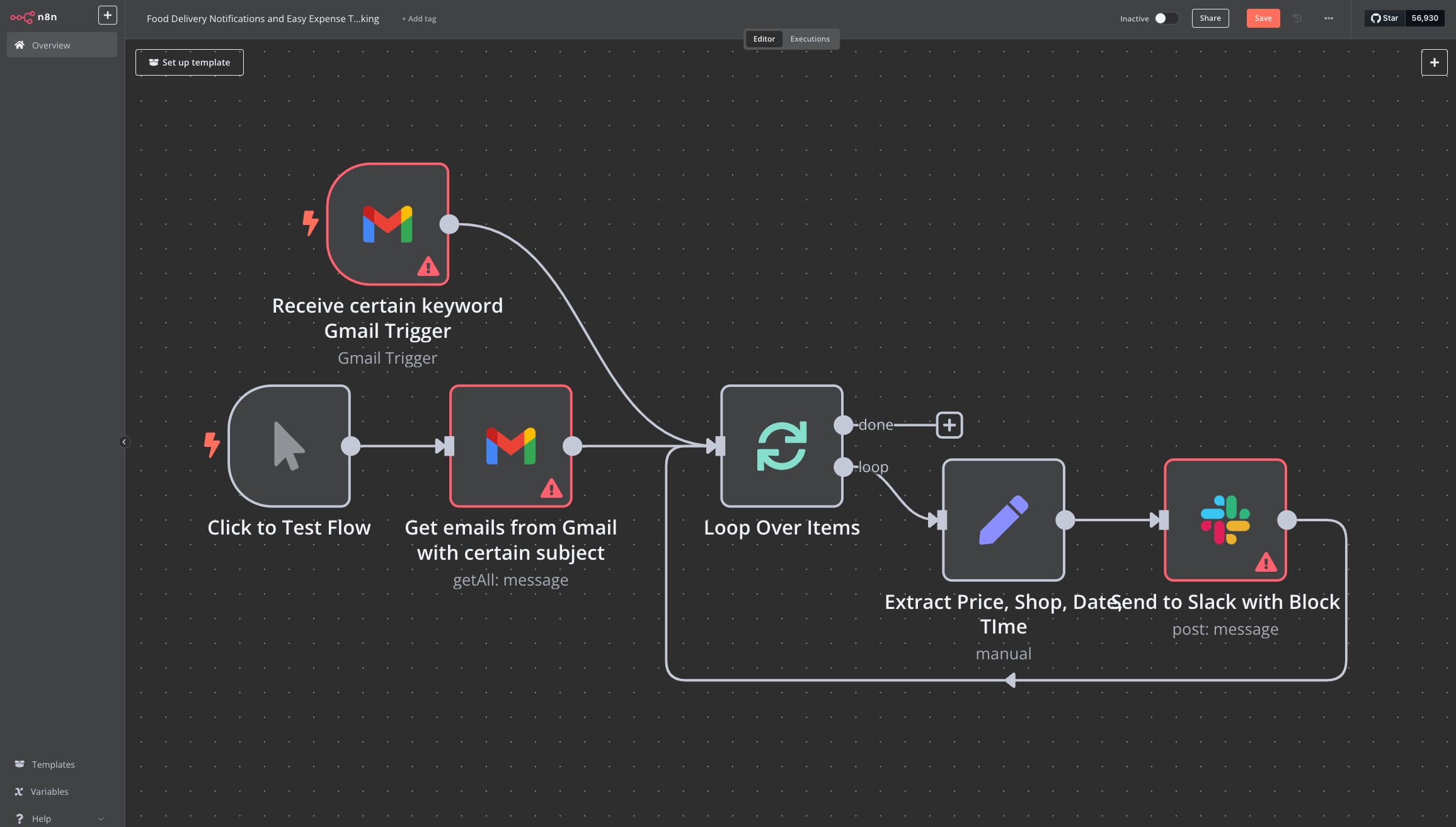
Creating workflows in n8n is a visual and intuitive process. Start by clicking the New Workflow button in the dashboard. This opens a blank canvas where you can begin building your automation. Nodes are the fundamental building blocks of workflows, representing tasks such as fetching data from an API, sending an email, or processing information. Drag and drop nodes from the node panel onto the canvas to get started.
Each node requires configuration to define its functionality. Click on a node to open its settings. For instance, if you use an HTTP Request node, you can specify details such as the request URL, method (GET, POST, etc.), and any necessary parameters or headers. Nodes can be connected by dragging lines from one nodes output to anothers input, establishing the sequence of tasks.
You can test the workflow once your nodes are connected by clicking the Execute Workflow button. This will run all connected nodes and display the results in real time, allowing you to troubleshoot and refine your automation.
Add a trigger node for workflows that need to run automatically. Examples of trigger nodes include the Cron node for scheduled executions or the Webhook node to start workflows in response to external events. When you are satisfied with your workflow, save it to ensure it persists in your n8n instance.
For example, consider building a workflow that integrates Gmail and Slack. Use a Gmail node to fetch unread emails and a Slack node to send the email content to a Slack channel. This simple workflow automates the process of notifying your team about new emails.
Updating n8n
Its important to keep your n8n version up to date. This ensures you get the latest features and fixes. Follow these steps in SSH to update n8n:
<code># Pull latest versiondocker compose pull# Stop and remove older versiondocker compose down# Start the containerdocker compose up -d</code>
Queue mode
Queue mode in n8n enhances performance and scalability by processing workflows asynchronously using a message queue system (Redis). Instead of executing workflows immediately, they are queued and processed by separate worker nodes, allowing for better load balancing, fault tolerance, and distributed execution across multiple instances. This is especially useful for efficiently handling high volumes of workflow.
If you choose to useUbuntu 24.04 with n8n (queue mode), by default, it will be started with3workers. To scale this value, the following should be executed:
<code>docker compose up -d --scale n8n-worker=<number></code>
Environment variables
When you deploy Hallo-Webseite.des Ubuntu 24.04 with n8n template, every n8n setting is handled exactly the same way Docker handles it through environment variables declared in the Compose file that launches the container.
SSH to your VPSand open the file located at
/root/docker-compose.yml. Under then8nsection youll find anenvironmentblock. Each line there follows the patternVARIABLE_NAME=value. That is the single place you declare things like public URLs, database credentials, time-zone, or queue-mode flags.Add or change your variables in that
environmentlist. Save the file, then rundocker compose up -dfrom the same/rootdirectory. Docker gracefully recreates the n8n service so the new variables take effect. No other steps are required.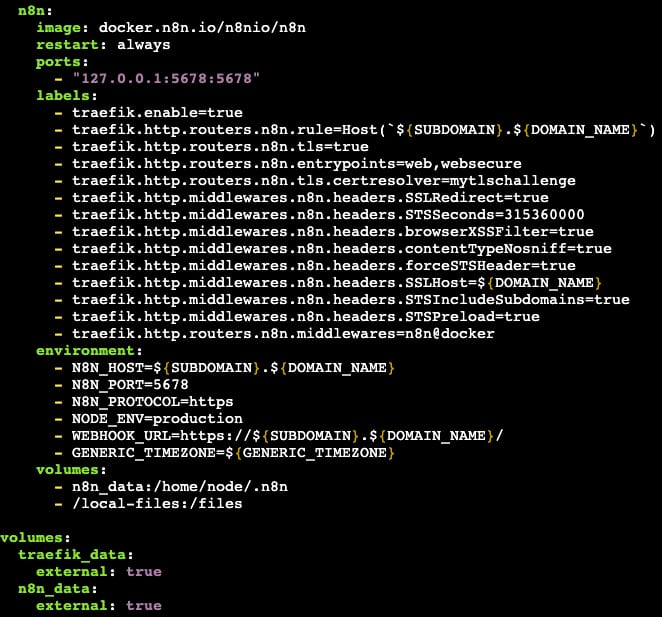
For passwords or API keys, place the sensitive values in a
.envfile (same folder) and reference them indocker-compose.ymllike${SECRET_NAME}. Docker Compose substitutes them automatically, so your secrets stay out of the file you might later share or commit.You can check the list of n8n-supported environment variables intheir documentation.
Hallo-Webseite.des Ubuntu 24.04 with n8n and Ubuntu 24.04 with n8n (queue mode)VPS templates let you quickly set up and manage workflow automation solutions. Whether youre integrating with APIs, automating business processes, or setting up scheduled jobs, n8n provides an intuitive and powerful platform.
If you would like more details and advanced usage, you can visit the officialn8n documentation.
