How to Use the MetaTrader VPS Template
MetaTrader is a popular trading platform that is widely used by forex traders and financial investors. It comes in two main versions,MetaTrader 4 (MT4)andMetaTrader 5 (MT5), both offering advanced tools for technical analysis, algorithmic trading, and market monitoring. The platform allows users to trade various financial instruments, including currencies, stocks, commodities, and indices. It supports customizable charts, expert advisors (EAs) for automated trading, and a scripting language (MQL4/MQL5) to develop trading strategies. MetaTrader is known for its user-friendly interface, making it accessible for both beginners and experienced traders.
TheUbuntu 24.04 with MetaTraderVPS template comes with MetaTrader 4 or 5 pre-installed.
If you dont have a VPS yet, check the available options:Forex VPS hosting?
How to start using the template?
You will need a local computer with an RDP client installed to connect to your VPS. Here are some of the available RDP clients for different operating systems:
On Windows, you can use the default Remote Desktop Connection application
On macOS, you can use theMicrosoft Remote Desktopapplication
On Linux, you can useFreeRDPorRemmina
To log into your VPS, open the RDP application on your computer and enter the XRDP login credentials:
Computer:your_vps_IP
Username: root
Password: root user password
After logging into VPS, the installation of MetaTrader is already in progress. You will need to wait for roughly 2 minutes, after which you will see the following:
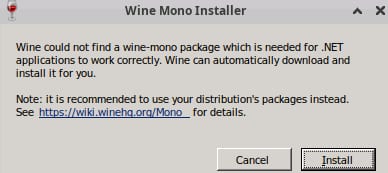
Click Installand after a few seconds, you will see the following screen:
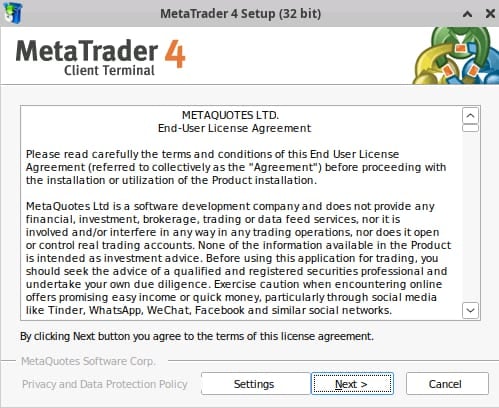
Click Next and after a few seconds, you will see the following screen:
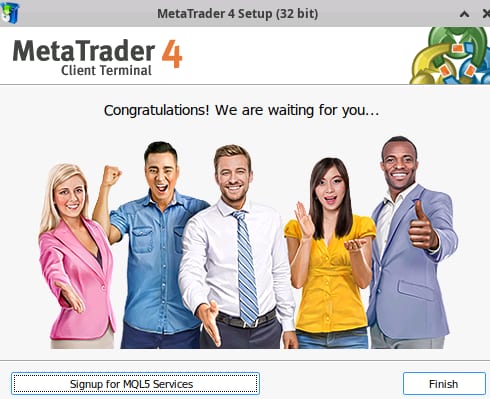
Thats it! After clicking Finish, the MetaTrader application will open, and you can start using the Hallo-Webseite.de VPS with MetaTrader!
To open the application after closing, double-click the icon created in the Desktop. If that doesnt work proceed with the following:
Right click on the icon -> Applications -> Wine -> Programs -> MetaTrader ?
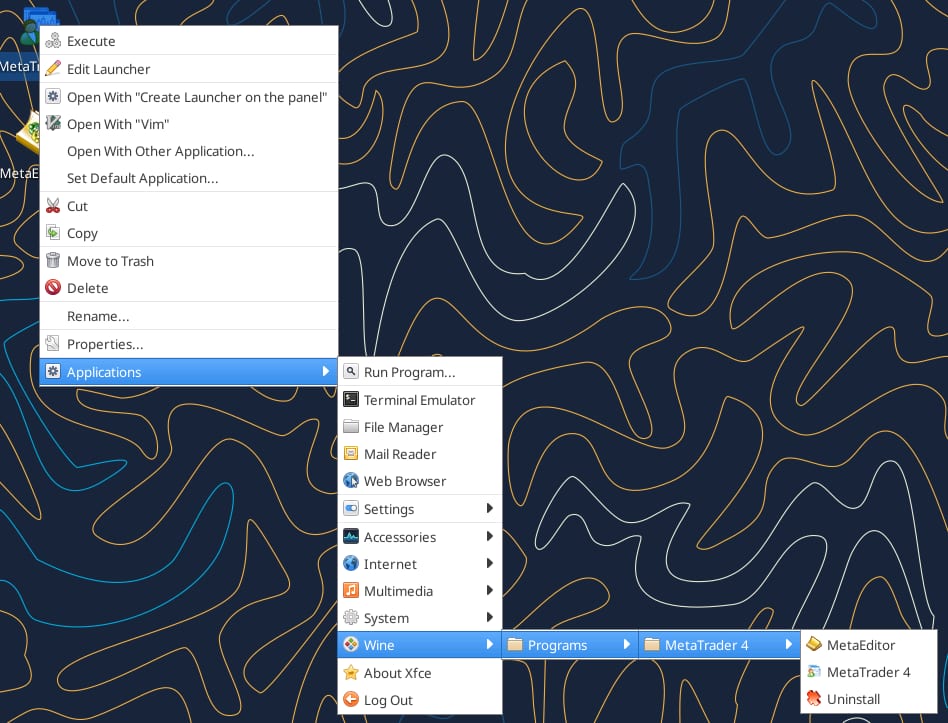
For more information, refer to theMetaTrader 4orMetaTrader 5reference guides.
