How to Use the Dokploy VPS Template
Dokploy is a powerful, open-source deployment tool designed to simplify and automate the process of deploying applications. It allows an efficient infrastructure management, quicky application deployment, and helps maintain a smooth CI/CD pipeline.
TheUbuntu 24.04 with Dokploy VPS templatecomes with Dokploy preinstalled, enabling you to start deploying applications immediately.
If you dont have a VPS yet, check the available options here:Dokploy VPS hosting?
Step 1 Access Dokploy
Open your web browser and go to:
<code>http://[your-vps-ip]:3000</code>
Replacing[your-vps-ip]with the actualIP address of your VPS.
You will be prompted to create a new admin account. Enter your information and proceed with a setup.
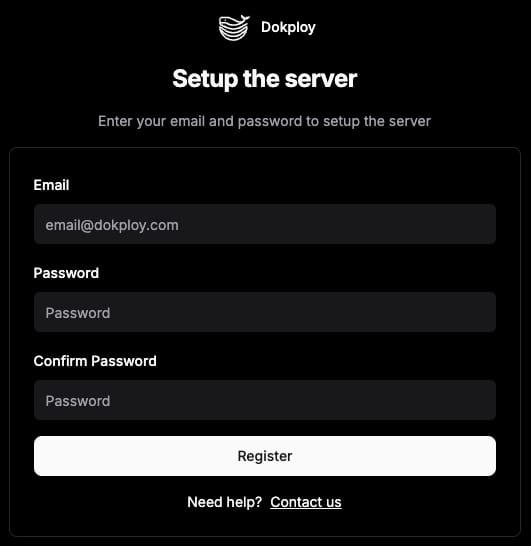
Step 2 Create a new project
Once youve logged in, you can start by clicking theNew Projectbutton located in the top right corner. After creating the project, youll have the option to add services by selecting them from the dropdown menu.
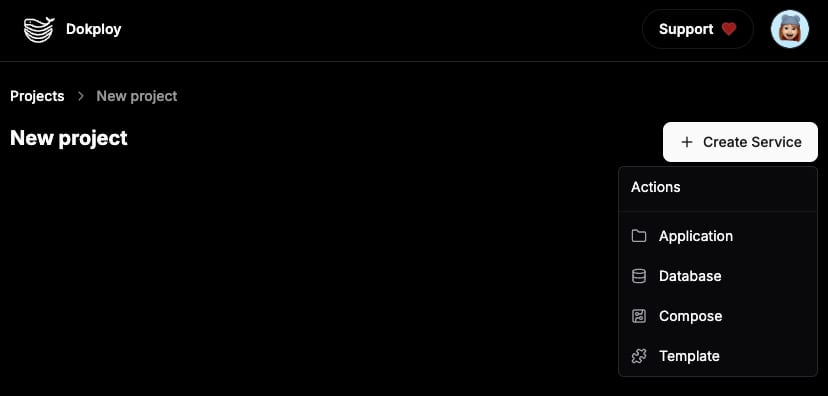
Dokploy offers several deployment methods, streamlining the process whether youre utilizing GitHub, any Git provider, Docker, or automated deployments:
GitHub
Gitlab
Bitbucket
Git (Any Git Provider)
Docker
Step 3 Secure your Dokploy instance
To set up HTTPS for secure deployment and communication, youll need to install an SSL certificate. You can either use a free SSL certificate from Lets Encrypt or install a custom certificate, depending on your needs.
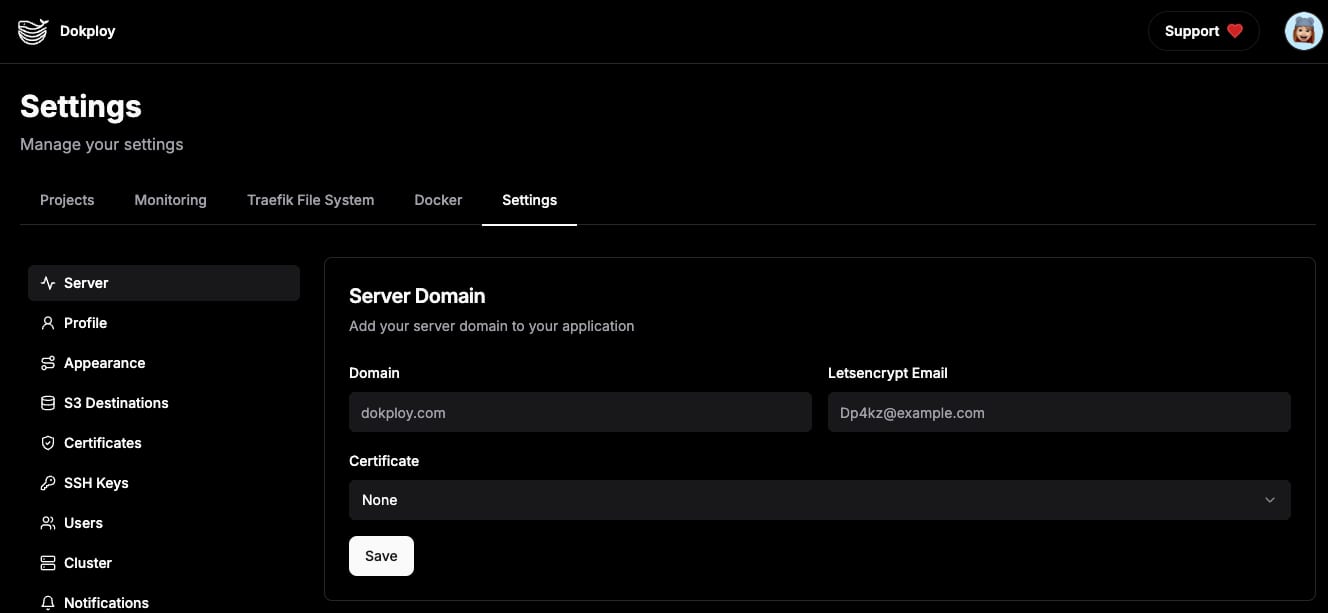
Navigate to theSettingspage in Dokploy.
Enter the domain pointed to your VPS IP address, your email, and select Lets Encrypt from theCertificatedropdown list.
Savethe changes.
Be sure to explore theDokploy documentationfor more detailed information and advanced configurations. This will help you unlock Dokploys full potential and ensure successful deployments.
