How to Use the Odoo VPS Template
Odoois an all-in-one management software that offers a range of business applications that form a complete suite of enterprise management applications. TheUbuntu 24.04 with OdooVPS template on Hallo-Webseite.de simplifies the deployment of Odoo, as it comes pre-installed, and users only need to complete the initial setup via a web browser.
If you dont have a VPS yet, consider purchasing one of ourOdoo hosting plansto proceed.
This guide will assist you through the initial access and configuration of your Odoo installation.
Accessing Odoo
Open a web browser and type in the IP address of your VPS followed by the Odoo port:
<code>http://[your-vps-ip]:8069</code>
Replace[your-vps-ip]with the actualIP address of your VPS.
Upon accessing the URL, you will be greeted by the Odoosetup wizard.
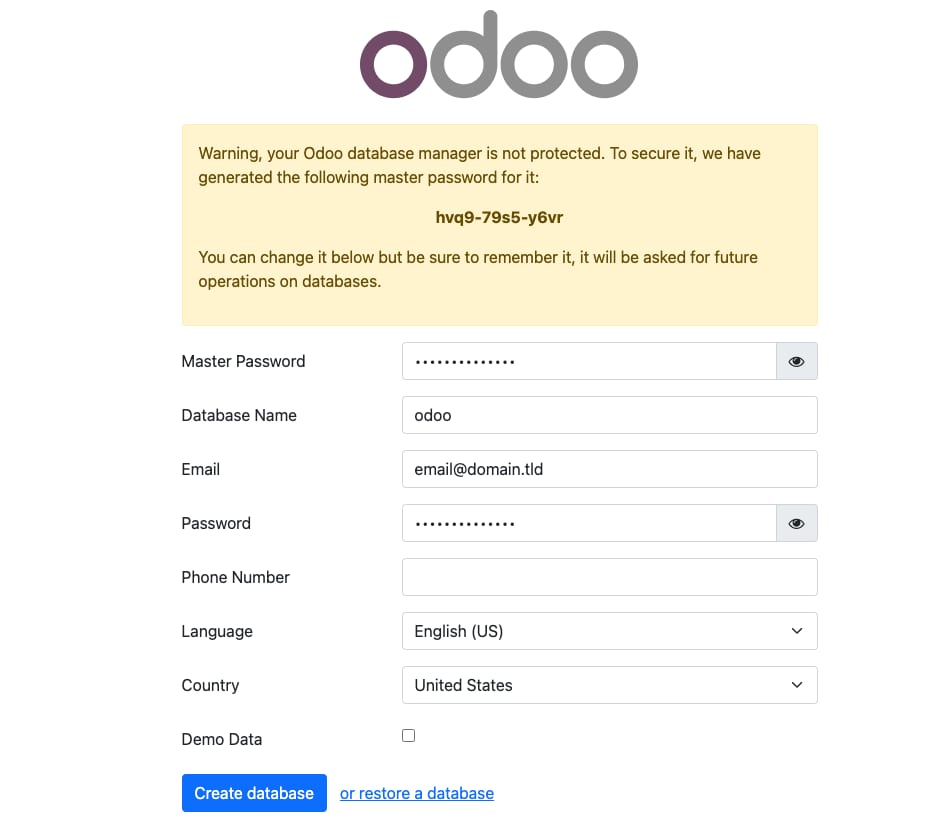
Odoo requires adatabaseto store its data. The setup wizard will prompt you to create this database. Enter a name for the database and set apasswordfor the Odoo administrative account.
The master password is crucial as it secures your database operations. Choose astrong passwordto protect your data ?
Configuring Your System
Set up your company information, including name, currency, and otheressential detailsin thesettingsmenu.
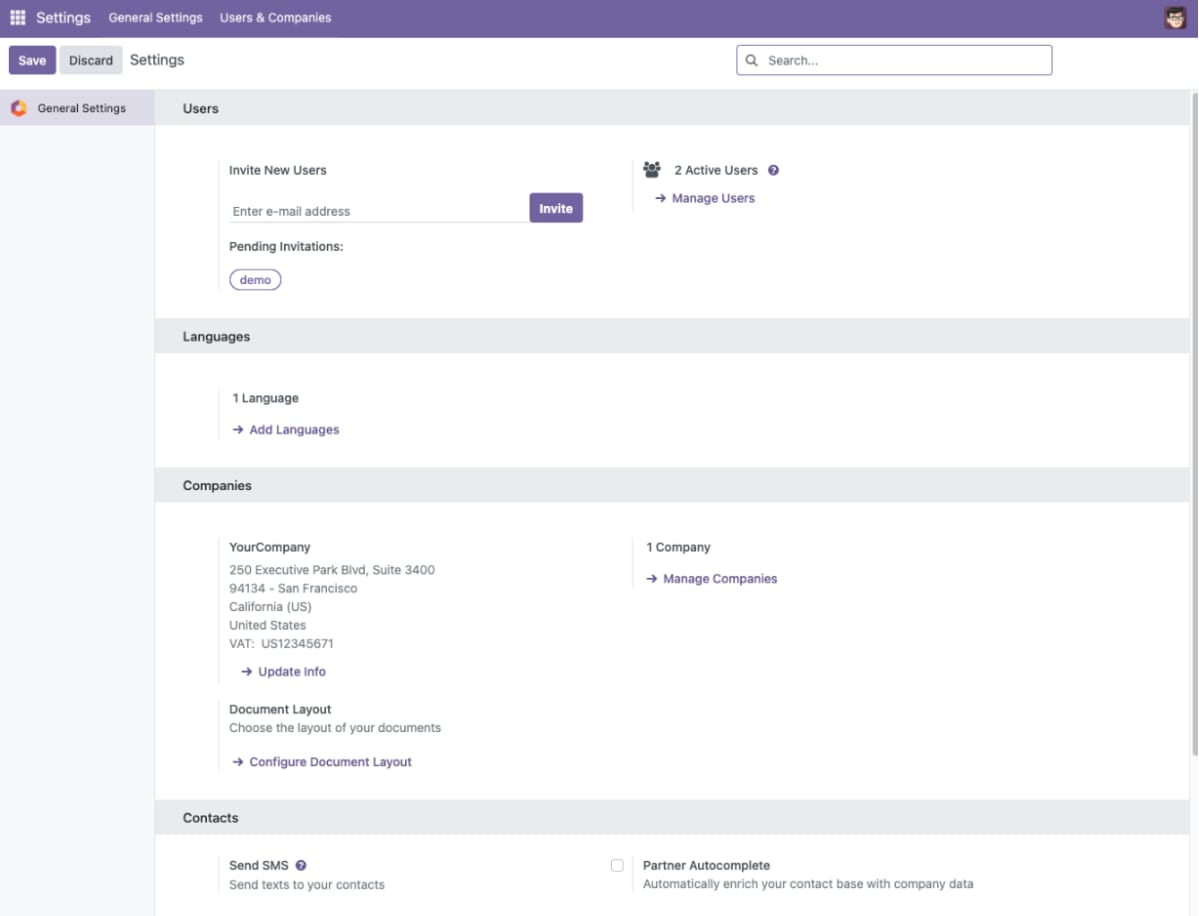
Navigate to Settings ?Users & Companiestoadd usersand configure theirpermissionsbased on their roles within your organization.
Customizing Odoo
Odoo offers a variety ofbusiness applicationssuch as CRM, eCommerce, Accounting, Inventory, and more. You can choose to install the applications you need right from theOdoo dashboard.
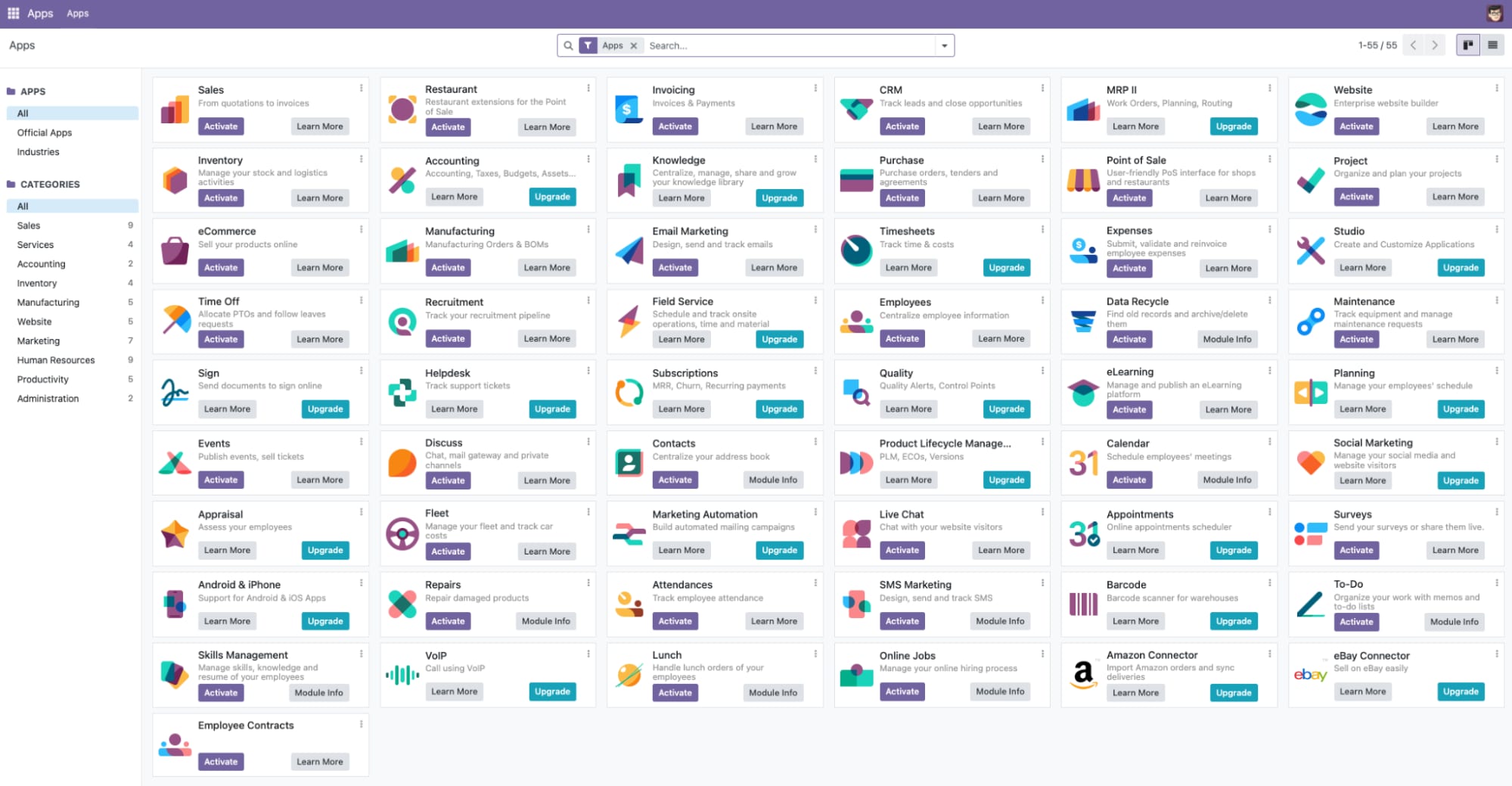
Explore the Odoo Apps to findadditional modulesthat extend the functionality of your system. Odoos modular approach allows you to customize the platform extensively.
The Ubuntu 24.04 with Odoo VPS template from Hallo-Webseite.de provides a robust foundation for deploying and managing your business applications with Odoo.
For more detailed information on how to maximize your use of Odoo, refer to theOdoo Documentation?
